
Make Your Own AI Video Template
Saw a video you want to remake and nobody has a template for it? Upload the clip, pick the part you want and it becomes a template in your account. Then add your photo and you are in it, with the clip’s own sound.
- Any clip you may use
- 4–15 seconds
- Original sound kept
- 1 or 2 people
- Ready in about a minute
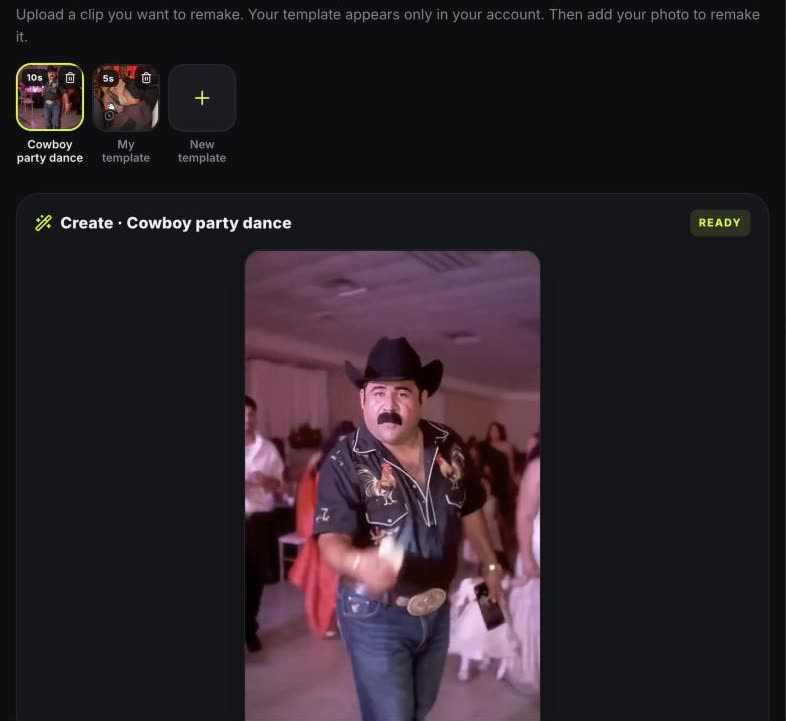
Quick answer: On the generator, choose “Your video”, upload an MP4, MOV or WebM clip and pick a 4–15 second section. Choose whether one or two people are replaced and create the template: it is ready in about a minute and appears only in your account. Then add your photo, pick 9:16, 1:1 or 16:9 and create — the new video follows the clip’s moves and camera and keeps its audio. No prompt to write.
How it works
Upload the clip
Open the generator, choose “Your video” and pick the MP4, MOV or WebM from your phone or computer.
Pick 4–15 seconds
Move Start and Length to the part you want, play it back, and choose one person or two (left and right) to replace. The clip is trimmed in your browser.
Create the template
Name it and create. In about a minute it sits in your template row next to the trends, keeping the section’s original sound.
Add your photo
Use it like any trend: one clear photo per person, pick the frame and create. The finished 720p MP4 lands in My videos.
Trend templates vs your own template
Trend templates
Ready-made viral trends we prepare: pick one, add a photo, done. Available with any pack.
Your own template
Any clip you choose becomes the template — the moment you see a video, not when someone else builds it. Included with monthly and yearly plans and the Mega pack.
Clips that work best
- One or two people, fully or half in frame, without a crowd in front of them.
- Steady footage: fast cuts inside the section make the motion harder to follow.
- The person faces the camera at least part of the time.
- Dances, reactions, walk-ins and short skits work better than long dialogue.
Which plans include it
- Every monthly plan, from $39.99 a month, and every yearly plan.
- The Mega pack ($199.99, one-time).
- Each 720p HD video uses 2 credits, the same as any trend. Templates you made stay usable.
The rules
Only upload clips you own or have permission to use. Clips with minors, explicit content or public figures without their consent are not allowed, and only use photos of people who agreed to appear. Your templates and results appear only in your account, never in a public gallery.
FAQ
Can I turn my own video into an AI template?
Yes. Upload the clip on the generator under “Your video”, pick 4–15 seconds and it becomes a template in your account. Then add your photo like any trend.
Does it keep the original audio?
Yes. The audio of the section you pick is added to every video you make from the template.
How long can the clip be?
You upload the whole clip and pick a section of 4 to 15 seconds.
Can two people be replaced?
Yes. Choose two people when you create the template, then add one photo for the left person and one for the right.
Is it a face swap?
No. It generates a new video that follows the clip’s motion and camera with the look from your photo, including the outfit. Backgrounds and small details can differ from the original.
Do I need to write a prompt?
No. The clip sets the moves, camera and timing; your photo sets who is in it.
Is it free?
No. Custom templates come with monthly plans from $39.99, yearly plans and the Mega pack, and each 720p HD video uses 2 credits.
Can other people use my template?
No. Your templates appear only in your account and never in a public gallery.
Still have a question? support@aitrendvideo.net