
How to Put Yourself in Any Viral Video With AI (From One Photo, 2026)
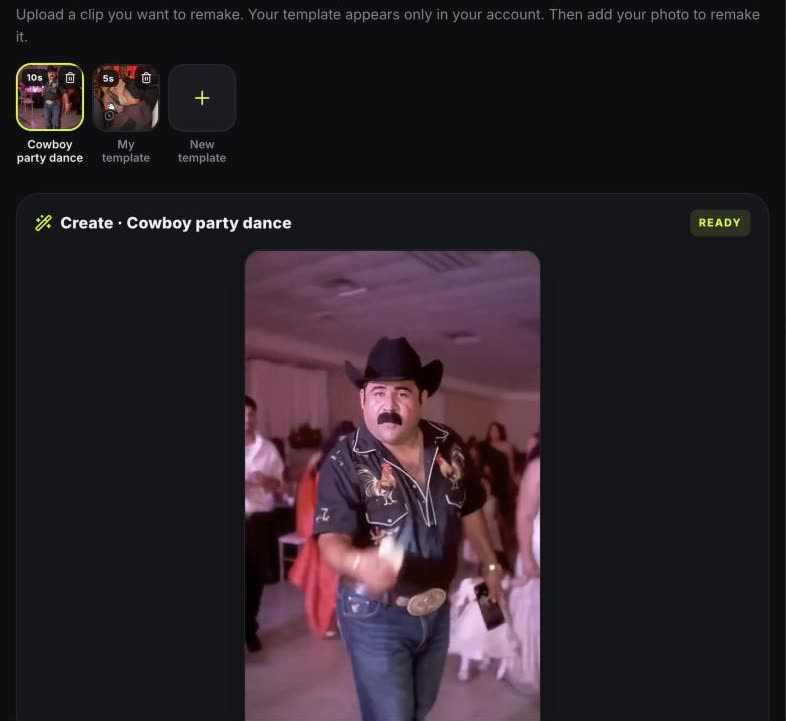 Make your own template
Quick answer: Upload the clip on the generator under “Your video”, pick a 4–15 second section, choose whether one or two people are replaced and create the template. It is ready in about a minute and appears only in your account. Then add your photo, pick 9:16, 1:1 or 16:9 and create: the new video follows the clip’s moves and camera and keeps its audio.
Template apps only cover the trends someone has already built. By the time a meme reaches most apps, the moment has often passed, and plenty of clips never get a template at all: an inside joke, a dance from your favorite creator, a scene from your own party.
Custom templates fix that. Instead of waiting for a template, you make one from the clip itself and put yourself in it, usually within minutes of seeing the video.
What you need
- The clip, saved on your phone or computer as MP4, MOV or WebM. You own it or have permission to use it.
- A section of 4 to 15 seconds where the person you want to replace is clearly visible.
- One clear, front-facing photo per person you replace (one or two people).
- A monthly plan, a yearly plan or the Mega pack, which include custom templates.
Step by step
- Open “Your video”. On the generator, sign in and choose “Your video”, the first chip in the template row.
- Choose the clip. Tap “New template”, then “Choose a video” and pick the MP4, MOV or WebM from your phone or computer.
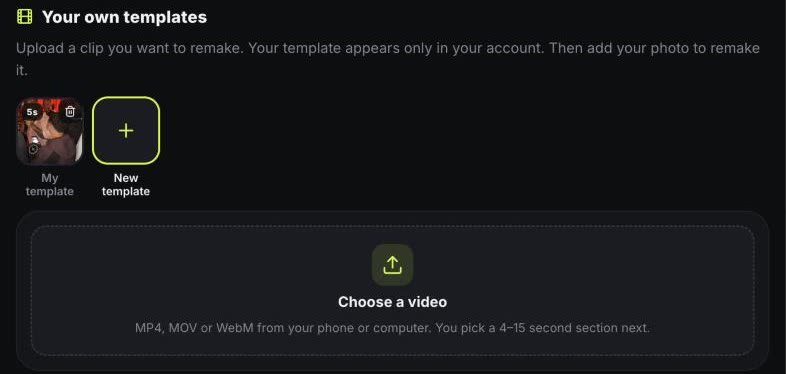
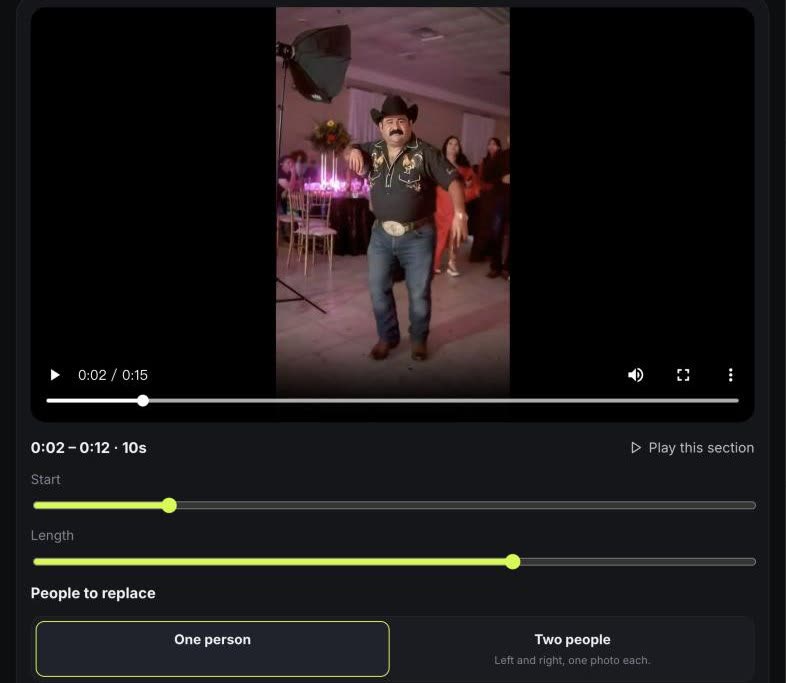
- Pick the section. Move Start and Length to the 4–15 seconds you want and press “Play this section” to check it. Then choose one person, or two people (left and right), to replace. The clip is trimmed in your browser before upload.
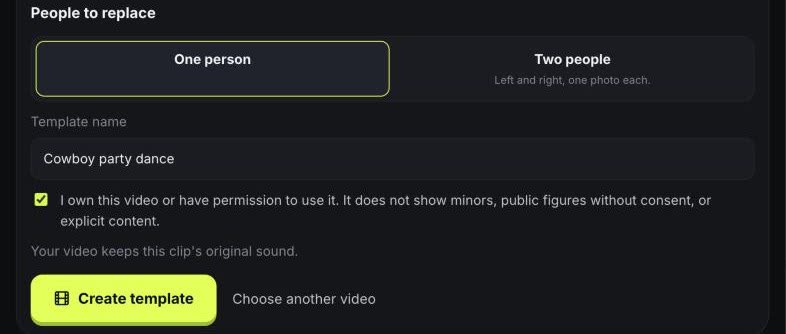
- Name it and create. Give the template a name, confirm you own the clip or have permission to use it and press “Create template”. The clip keeps its original sound.
- Your template is ready. In about a minute it appears in your templates row, shown only in your account. From there it works like any trend template: add your photo, pick 9:16, 1:1 or 16:9 and create.
What the result looks like
The clip guides the choreography, camera movement and timing; your photo guides who is in it, from face and hair to outfit. The clip’s own audio is added to the finished video, so it is ready to post. It is a newly generated video rather than a frame-by-frame face swap, so backgrounds and small details can differ from the original, and each result varies.
Clips that work best
- One or two people, fully or half in frame, without heavy crowds in front of them.
- Steady footage. Fast cuts inside the section make the motion harder to follow.
- A section where the person faces the camera at least part of the time.
- Dances, reactions, walk-ins and short skits work better than long dialogue.
Who can use it, and the rules
Custom templates come with monthly and yearly plans and the Mega pack. Your templates and results appear only in your account, never in a public gallery. So the video provider can read it, a silent copy of the clip is kept at an unlisted public link: it is not listed anywhere, but anyone with that exact link could open it, so don’t upload clips that must stay strictly private.
Only upload clips you own or have permission to use. Clips with minors, explicit content or public figures without their consent are not allowed, and you should only use photos of people who agreed to appear.
FAQ
Can I put myself into any TikTok video with AI?
Yes, if you can save the clip and you may use it: upload it as a custom template, pick 4–15 seconds and add your photo.
Is it a face swap?
No. It generates a new video that follows the clip’s motion and camera with your look from the photo, including your outfit.
Does it keep the original audio?
Yes. The audio of the section you pick is added to the finished video.
Can two people be replaced?
Yes. Choose two people when you create the template, then upload one photo for the left person and one for the right.
Can other people see my templates?
They appear only in your account and never in a public gallery. A silent copy of each clip is kept at an unlisted public link so the video provider can read it; anyone with that exact link could open it.
Is it free?
No. Custom templates are included with monthly and yearly plans and the Mega pack, and each 720p HD video uses 2 credits.