Boxing Dog AI Trend
Turn one photo of your dog into a passenger-seat shadowboxing video.
- 1 dog photo
- 15 seconds
- Generated sound
Create · Boxing Dog AI
READY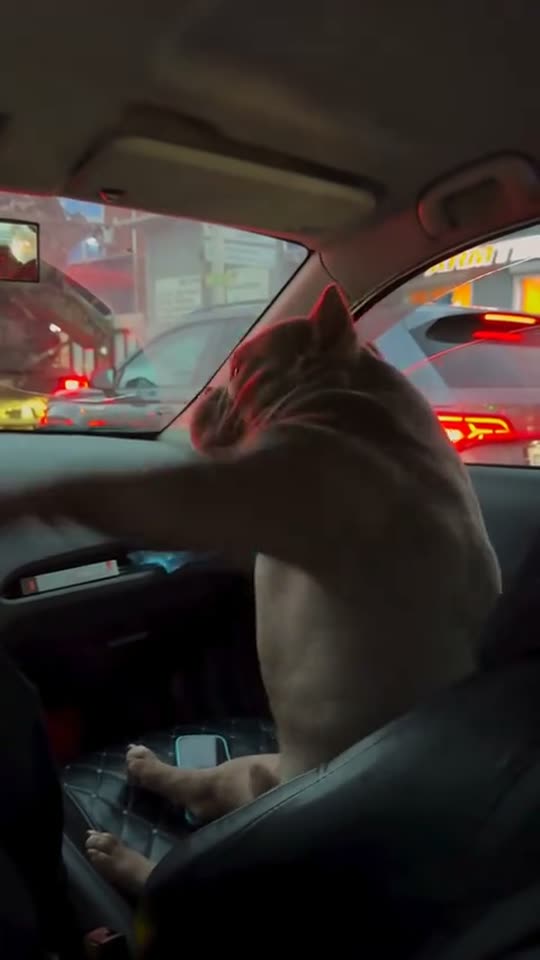
Nighttime clip by @malysh_bully via MakeViral. Your video gets new sound effects.
Upload one clear photo of your dog. The photo tips below show what to look for. JPG, PNG or WebP · up to 20MB
$9.99 for one HD video or two at 480p · No subscription
Each result is a new AI video: likeness, details and motion can vary.
Private by default — never shown in a public gallery. My videos
Quick answer: Upload one sharp photo of your dog and choose a frame. This template uses the night car reel as motion guidance for a 15-second MP4 with generated sound effects. You can create and download it in the browser without writing a prompt.
Original boxing dog reels
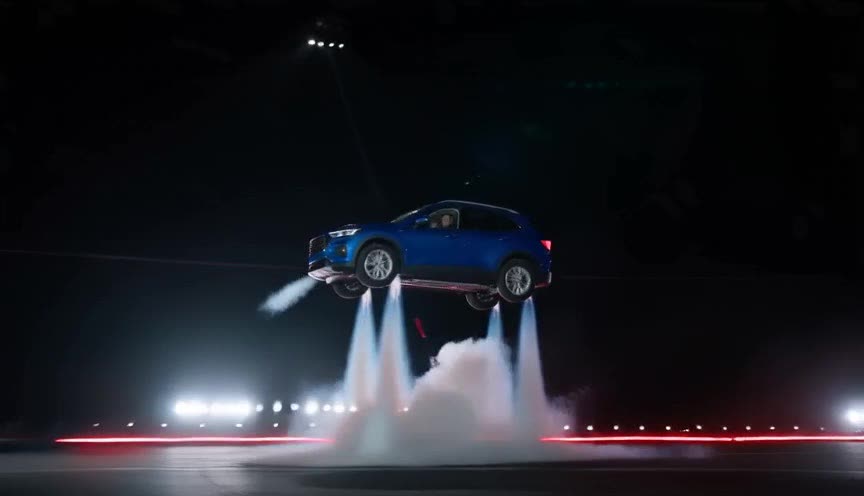
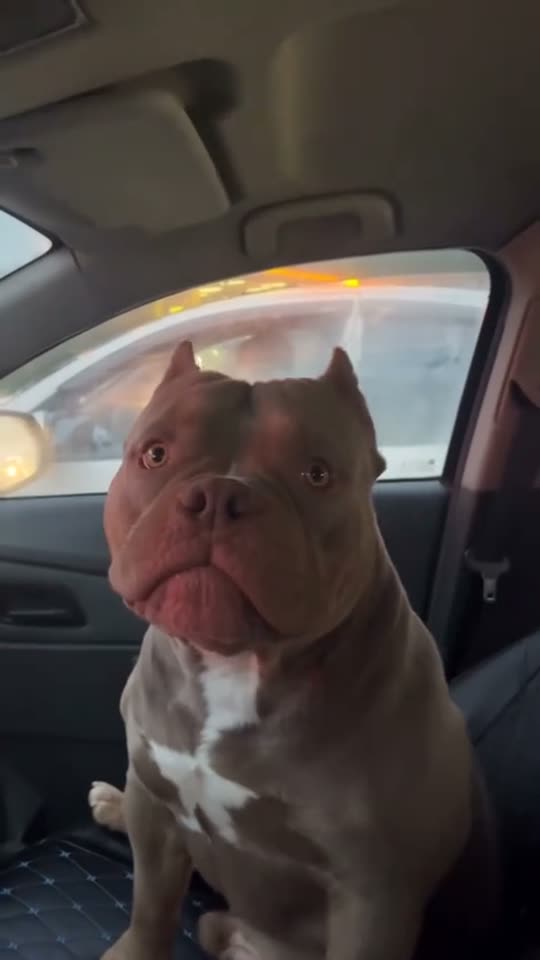
Creator @malysh_bully posted both car scenes. This template takes its motion cues from the nighttime version.
How to make it
Choose your dog’s photo
Use the photo tips below to pick the frame that best shows your dog’s appearance.
Load Boxing Dog AI
Upload the photo to the dog slot. The nighttime example shows the motion this template follows.
Choose your video format
Use 9:16 for a Reel or Short, 1:1 for a square feed post, or 16:9 for a wider shot of the car.
Download the passenger-seat clip
After generation, open My videos and download the 15-second MP4.
Photos that work best
Shoot at your dog’s eye level
A slight turn can show both eyes and the length of the muzzle in the same shot. A picture taken from directly overhead flattens the chest and makes the source pose harder to read.
Show where the paws are
A seated photo taken at home is enough. Leave some floor around the front paws, especially if they blend into a rug or sit behind a toy. A tight headshot gives the model less information about the forelegs.
Expose for the coat
For dark fur, put the dog beside a window and check that you can still see its eyes and any subtle markings. If the chest patch is the easiest way to recognize your dog, choose a frame where the patch is visible.
Pick a quiet background
Use a photo with one dog clearly separated from furniture and other pets. A leash or a person’s hand crossing the chest can hide the boundary between the coat and the background.
What is the boxing dog AI trend?
The joke starts with a dog calmly facing the passenger window. A sudden burst of shadowboxing breaks the stillness before the dog settles back down.
Your photo supplies the dog’s appearance. The template uses the nighttime reel for movement and camera reference. It asks for a parked-car scene and generates new audio, including light swishes during the action.
Watch the night and day examples for how the setup reads in different light. The window and passing traffic establish the car in the night reel, while the brighter version makes the dog’s expression easier to see. Both depend on the same beat: the dog looks absorbed in something outside, then occupies the frame with movement. In your version, the car only needs enough detail to make the passenger seat recognizable before attention shifts to the dog.
The return to stillness gives the gag its ending. If you trim the clip for another edit, leave enough time for the dog to settle back into the seat.
Read the guide: How to Make the Boxing Dog AI Video With Your Dog
Where the boxing dog car meme started
- November 14, 2026
TikTok creator @malysh_bully posted the passenger-seat boxing gag in a nighttime traffic scene, as documented by MakeViral.
- November 17, 2026
The same account followed it with a daytime car version built around the same quiet setup and sudden movement.
- Also known as
Dog boxing in the car, car boxing dog and AI shadowboxing dog.
Sources
Ways to share the passenger-seat clip
“When I say vet instead of park”
Use the quiet first few seconds as the setup.
“Passenger seat champion”
Keep the caption short and let the flurry of paws finish the joke.
Make a reaction clip
Open with your dog’s ordinary portrait, then cut to the animated car scene.
Give two dogs separate clips
Use one picture per dog and edit the results together as a split-screen reaction.
How to tell if the shadowboxing reads on screen
Play the clip once without pausing, as someone would see it in a feed. You should be able to follow the transition from a quiet look out the window to the flurry of paws. Then replay the busiest part. Look for a moment when the paws extend into the open space by the dashboard. If they disappear at the edge of the frame or blend into the seat throughout the action, the joke may be hard to read on a phone.
Check what stays still while the dog moves. A stable seat back, dashboard or door frame gives the viewer something to measure the motion against. If the seat seems to deform every time a paw crosses it, it can be hard to tell where the movement is happening. A little blur on a fast paw is natural. The dog’s outline and the geometry of the car should become clear again when it settles.
Sound can help mark the instant the action starts. Watch once muted to see whether the pose change tells the same story on its own. When adding your own reaction or voiceover in an editor, give it a place before the movement begins. Keep captions away from the lower part of the picture, where the forelegs enter the frame, and let the first burst play at its original pace.
For a close-up reaction in a vertical feed, prioritize the face and the visible sweep of the paws. For an edit that cuts back and forth with another shot of a car, a wider frame can give you more of the window and dashboard to match across the cut. Choose the frame in the generator for the edit you have in mind, then review the action at the size people will actually watch it.
FAQ
Can I upload any dog breed?
Yes. The generated appearance is guided by the dog in your photo.
Can I put two dogs in the same car?
The current template has one dog photo slot. Create a separate clip for each dog.
What sound comes with the video?
Your clip uses generated car ambience and swishes. The original TikTok sound is audible in the example reels.
How much does it cost?
A 480p video uses 1 credit and a 720p HD video uses 2. The one-time pack starts at $9.99 and covers two 480p videos or one HD video.
Is it free?
Watching the examples is free. Creating a video uses credits, and you can buy them in a one-time pack without a subscription. The generator shows the credit cost before you create.
Do I need to download an app?
No. It runs in your phone or computer browser — upload, create and download the MP4 to post on TikTok, Reels or Shorts.
What if the video fails or comes out clearly broken?
Failed generations return credits automatically. If a finished video has a clear defect, such as a missing subject, missing sound or a file that will not play, email support within 7 days from the address you signed in with. We return the credits for clear defects covered by the refund policy.
Who can see my photos and videos?
Nobody else. Photos and results are private to your account and never shown in a public gallery. Your photo is shared with our video provider only to process your request.
Is this official?
AI Trend Video is independent and has no affiliation with the creator of the original reels or TikTok.
Can I use my own clip instead of this trend?
Yes. With a monthly plan or the Mega pack, upload any clip you may use, pick 4–15 seconds and it becomes your own template with its original sound. Make your own template
Still have a question? support@aitrendvideo.net
More trends
All trends