
How to Make a Christmas Snow Globe Video From a Photo
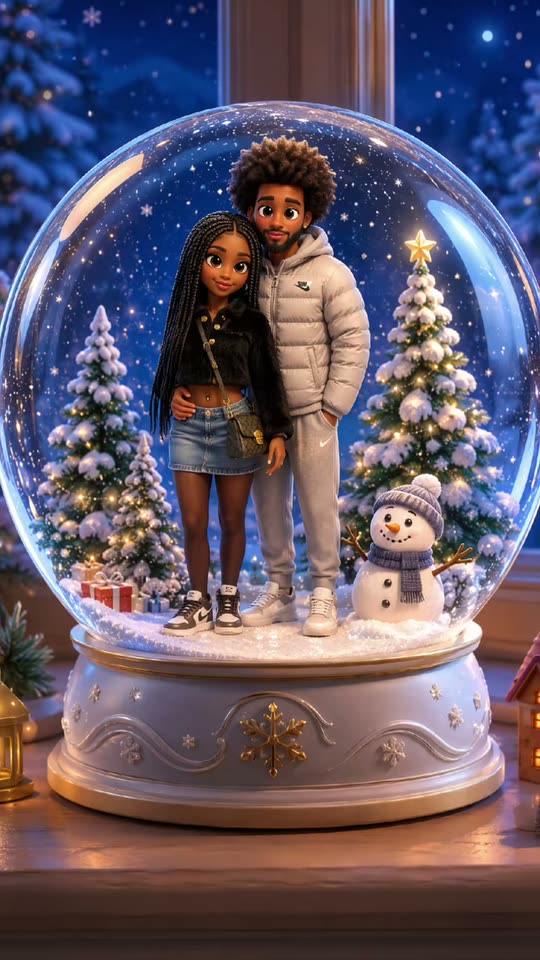
Quick answer: Start with a well-lit waist-up or full-length portrait of one adult. Choose the AI Snow Globe template and a frame, then download the eight-second MP4 once the miniature, snow and camera pullback have rendered.
$9.99 for one HD video or two at 480p · No subscription
A glass globe makes everything inside it small. The best source portraits give the figure a few strong visual details people can recognize as soon as the camera pulls back. A colored sweater or distinctive glasses can do more for the likeness than a busy pattern.
Make your snow globe clip
- Pick a well-lit portrait. Choose a waist-up or full-body photo with your face and outfit clearly visible.
- Upload one portrait. Open the AI Snow Globe generator and upload one adult portrait.
- Frame the globe. Use 9:16 for a story or Short, 1:1 for a square card or 16:9 for a landscape greeting.
- Download your snow globe. Find your eight-second MP4 in My videos and check the figure and glass edge before sharing.
How close to frame your portrait
A waist-up portrait is a good starting point because it shows clothing and gives the face enough detail. Try a full-length frame if the shoes or the whole costume matter. If you take that photo with a phone, keep the face large enough to see clearly. Keep the head clear of the background and avoid bright windows directly behind it.
Pick the frame before you render
A vertical version makes the most of a phone screen. A square frame gives the glass dome space at the edges in a feed. Use a wide frame if you plan to place the clip on a landscape canvas with a greeting beside it. Add the greeting after download so it stays legible as the camera moves.
Review the last frame before sharing
Watch the clip once at phone size and pause after the pullback. Check that the whole border of the globe fits and that the face and at least one identifying outfit detail are visible. If the face gets lost, make your next input brighter and closer instead of relying on a crop of the finished clip.
FAQ
What size is best for a phone greeting?
Choose 9:16 if you want it to fill the screen in a story or Short.
Does the figure need a winter outfit?
Any clear outfit can work. Bold colors make small figures easier to recognize.
Can I make a set for several friends?
Yes. Create a separate clip per adult and get their permission to use their photo.