
How to Make a Five-Person Tiny Desk AI Video
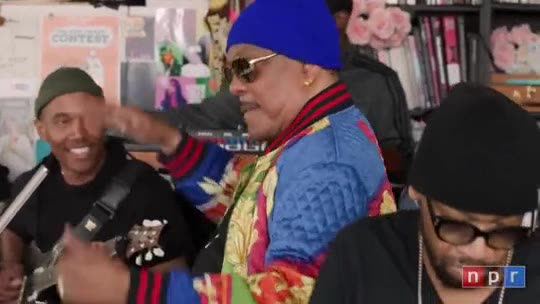
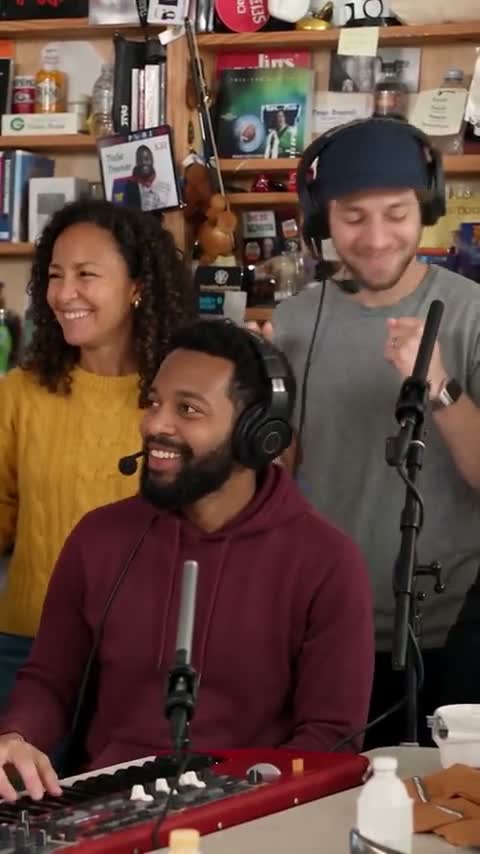
Quick answer: Assign each portrait to a named role on the Tiny Desk AI page: three group performers, a lead singer and a saxophone player. Fill 1–5 slots, choose People or Cat or dog, and generate a 15-second vertical MP4 with the performance audio. Review each role before sharing; the preview on the page shows the original concert.
$9.99 for one HD video or two at 480p · No subscription
The group shot, the laughing lead close-up and the sax break are different performances. A five-person remake needs to preserve who belongs in each shot, not just put one new face at the mic.
This guide explains how to assign the five role slots on our Tiny Desk AI page. The template uses a 15-second excerpt; it does not make the full 19-second edit. The public preview is original concert footage.
Assign the three group roles, lead and sax
Start by assigning people to shots, rather than choosing five photos at random. The three group positions belong to the band shot. The lead singer is a separate role with the solo close-ups, and the saxophone player gets the instrumental break. Left and right are viewed from the audience.
You can use all five slots, or change just the lead, just the saxophone player, or any smaller combination. Each filled slot takes a separate portrait. A photo showing five friends together does not automatically fill the five roles; crop it into individual portraits first.
Make your five-person version step by step
- Choose your cast type. Choose People for photos of consenting adults, or Cat or dog for pet photos. The choice applies to every photo in this video. Prepare one clear portrait per role you want to change.
- Assign the five roles. Add photos to Left singer, Center singer / keyboard, Right singer, Lead singer and Saxophone player. The lead appears in the solo close-ups; the saxophone player appears in the instrumental break. You can leave roles empty.
- Check the cast and cost. One selected role or all five costs 2 credits for a 15-second vertical 9:16 video in 720p HD. Check the role labels before you generate.
- Generate and download. Find the finished MP4 in My videos with the performance audio added. Review each selected performer in the group shots, lead close-up and sax solo before sharing.
Can I make the Tiny Desk AI video with my cat or dog?
Set the selector to Cat or dog before adding your images. This is a video-wide choice: every uploaded photo is treated as a pet. You cannot set one slot to a person and another to a pet in the same generation.
For five pet performers, fill all five positions with clear cat or dog photos. For a smaller pet cast, leave other slots empty. Those slots and other background musicians use the original human cast. Experimental pet results may change fur patterns, paws or instrument handling.
Prepare portraits that are easy to assign
Name your photos by role before uploading: left, center, right, lead and sax. Use one adult per image, with their permission. If you start with a group photo, make five separate crops; check that each crop still has a clear face rather than enlarging a tiny face from the background.
Use a sharp chest-up or waist-up portrait in even light. Avoid sunglasses, masks and heavy filters. Keep enough room around the face to show hair and clothing. For pets, keep the eyes, ears, muzzle and coat markings visible. A clear photo helps guide identity but does not guarantee an exact match.
Plan a solo, a duo or the full band
For a birthday version focused on one person, add their portrait only to Lead singer and leave the other four slots empty. For a two-person version, assign one portrait to Lead singer and the other to Saxophone player so each person has a distinct featured shot.
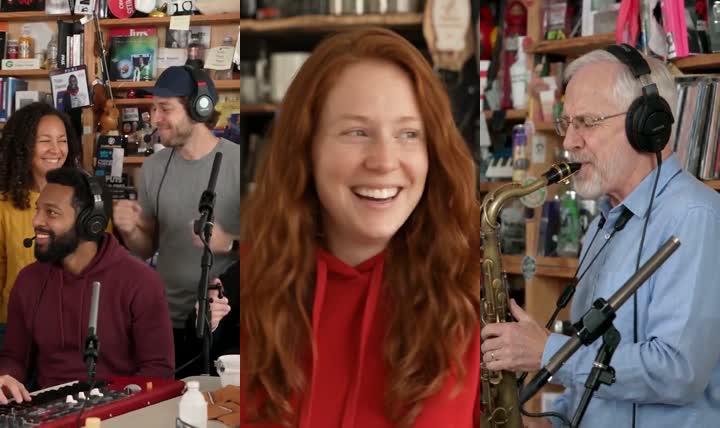
For five friends, label all five portraits before uploading and compare your plan with the on-screen role names. Left and right mean the audience’s view. The images below pair the input portraits and generated scenes from the AI-generated example; the generator preview on this page remains the original performance. Empty roles are intended to retain the original performers, but the model can still change them.
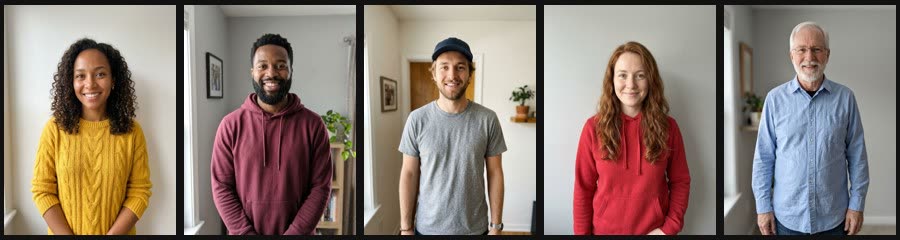
Review every role before sharing
Watch the group shot and pause on each selected performer. Check that the left and right identities stay on their assigned side and that the lead close-up does not accidentally inherit a bandmate’s face. Watch the sax solo for believable hands and a stable instrument.
A clear portrait can improve identity guidance, but AI can alter selected and unassigned performers, clothes, fur and motion. Review the whole output, including roles you left empty, and label the clip as AI-generated when you share it.
Choose your next step
Open the five-role Tiny Desk template to assign your photos. One selected role or all five uses the same HD video credit cost. Check current packs on the pricing page.
To supply a different clip, see Make your own template. That separate feature currently supports one or two replacements; the five-role casting on this page is specific to Tiny Desk.
FAQ
How many photos can I upload?
Upload 1–5 separate photos, one per role you want to change. Fill all five to recast the five featured roles. Leave a slot empty to use its original performer.
Which five people can I replace?
The left, center and right performers in the group shot, the lead singer in the solo close-ups and the saxophone player. Left and right use the viewer’s perspective; the center role includes the keyboard performance.
Does adding friends cost more?
No. One role or all five uses the same 2 credits for one 720p HD video. Current packs and plans are on the pricing page.
Can I mix people and pets in one video?
Choose one cast type per video: People or Cat or dog. It applies to all photos you upload; there is no separate type switch for each role.
Does it include Outstanding?
The selected performance audio is added after generation. The MP4 includes the familiar performance sound rather than newly generated music. Use the preview sound control to hear the source.
Can I make a five-pet band?
Yes, in experimental pet mode. Choose Cat or dog and add a pet photo to each of the five roles. Unfilled roles and other background musicians use the original cast. Pet likeness, paws and instruments can vary.
Is this official NPR Tiny Desk?
No. AI Trend Video is independent and is not affiliated with NPR, NPR Music, Tiny Desk Concerts, Charlie Wilson or The Gap Band.