
How to Make a Baby Face Filter Reveal Video
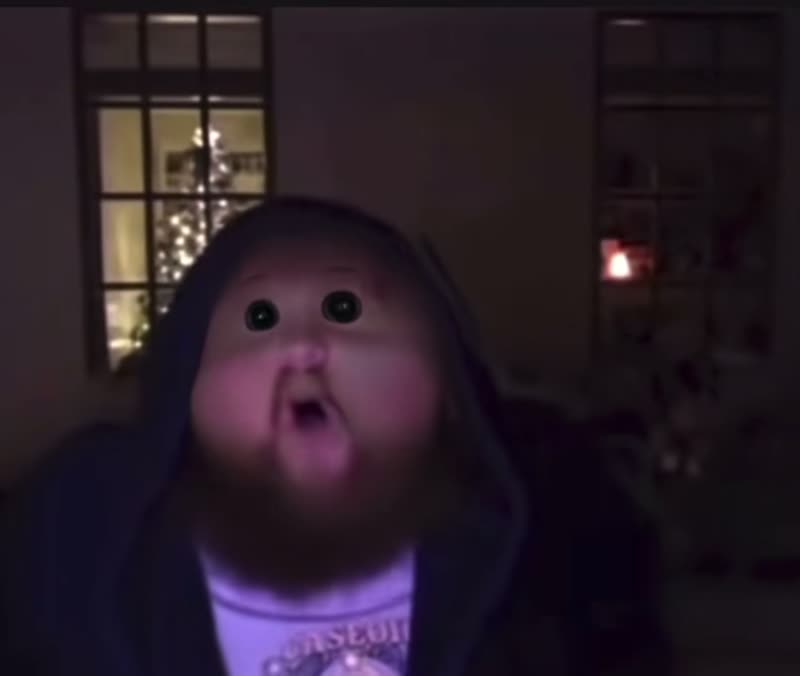 Try this trend
Quick answer: Take a chest-up portrait of one adult with both cheeks in soft light. Upload it to the Baby Face Filter video template, choose your framing and download the six-second MP4 with the reveal built in.
$9.99 for one HD video or two at 480p · No subscription
The doll-face reveal is easiest to recognize when the pose, outfit and expression carry through the cut. A chest-up portrait leaves room for both cheeks and keeps the clothing and hairstyle in view.
Create a six-second doll-face reveal
- Take a chest-up portrait. Face the camera and give both cheeks even light. Keep your hair and any glasses visible.
- Upload one adult photo. Open the Baby Face Filter generator and upload your own photo or one you have permission to use.
- Pick a frame for the reveal. Use 9:16 for short-form video or 1:1 for a feed post. Center the face so both cheeks fit in the shot.
- Watch the before and after. Download the six-second MP4 from My videos and check how the expression reads across the cut.
Set up a portrait that makes the cut readable
Face a window and hold the camera around eye level. A bright light from above can leave shadows across the eyes. A phone held too close can exaggerate the nose before the effect starts. Move back until both cheeks and the top of your shoulders fit comfortably. Keep your chin level so the same expression can carry through the reveal.
Use one deliberate expression
A deadpan look makes a funny reaction, while a slight smile gives the reveal a cheerful tone. If you wear glasses, check the photo for reflections that hide your eyes. Simple clothing and a quiet background give the face room to be the main event. Keep your hands clear of your cheeks and chin.
Place the reveal after a setup
The six-second clip can play on its own or follow a short setup recorded separately. Give viewers a moment to see the first portrait before they reach the cut. Watch your edit once with sound and once muted to check the reaction is clear both ways. Preview any added captions on a phone to keep them away from the eyes and cheeks.
FAQ
Do I need the ggg11 lens?
You can make this video from one adult portrait directly in your browser.
What should I use for a reaction clip?
Start with an evenly lit, front-facing portrait and a clear expression.
Can I use a real baby photo?
Use a photo of one adult who agreed to appear.